


Advanced Search

iPhone in-depth Lesson 5: Apple Account & iCloud identity [Springfield Scammin’ Series]

GarySpringfieldScammin’

Carding Novice
Joined
07.11.26
Messages
14
Reaction score
0
Points
1

Lesson 5: Apple Account & iCloud Identity
Part 1 of 2 — continued in the first reply below.

Lesson 5: Apple Account & iCloud Identity​


Introduction: The Account Behind the Purchase​


Lessons 1 to 4 followed one purchase from identification to settlement, then to chargebacks. Lesson 5 steps back and asks what identity ties those events together. On an iPhone, that identity is the Apple Account: the sign-in for the phone, the App Store, iCloud, Wallet, and Safari. A merchant may also meet it indirectly, through Sign in with Apple, a passkey, or a payment token. This lesson completes the core arc.

The method is unchanged. Separate what is Verified from what is Inferred, Hypothetical, or Unknown. Documentation describes intended behaviour; experiment describes what you can observe yourself, on your own devices only.

The Apple Account is not one thing. It is five jobs under one sign-in, and each job has a different trust boundary, a different failure mode, and a different consequence when it breaks.

Architecture: Five Jobs Under One Sign-In​


JobWhat it doesWhat it protects
1. IdentifierStable identity across Apple servicesContinuity of the account
2. AuthenticatorChecks password, passkey, or device approvalAccess to the account
3. Device trustTrusted devices receive codes and approve sign-insSecond-factor delivery
4. Sync vaultSyncs passwords, passkeys, and payment dataAvailability across devices
5. RecoveryPaths back in after lossA way back in

The identifier links purchases, subscriptions, iCloud data, and device records to one account. Inferred: merchants do not, in the normal case, receive your Apple Account identifier directly from a card purchase. They receive payment and device signals through their own channels.

The authenticator is the sign-in itself. A password is a shared secret that can be replayed if learned. A passkey is a cryptographic assertion bound to a site. Device trust is the list of devices Apple treats as trusted. A trusted device can receive two-factor codes and approve a new sign-in. Its value depends on the device being protected, and on you noticing when a device you no longer own stays on the list.

The sync vault is iCloud Keychain. Safari Autofill stores the real card number, expiry date, and cardholder name there. Verified: that data is AES-encrypted in storage and in transmission, Apple cannot read it, and when iCloud Keychain is on it is synced across devices with end-to-end encryption. Contrast that with Apple Pay. Verified: Apple Pay cards are device-specific and are not synced. Each device gets its own Device Account Number. Deleting a card from Wallet removes or deactivates that device token. It does not cancel the physical card.

Two further Verified facts about Autofill are often misunderstood. The security code, the CVV, is never saved in Autofill and must be typed manually. Autofill requires Face ID, Touch ID, or the device passcode. Recovery is the job nobody thinks about until it is needed. A recovery method set up years ago and forgotten is still live.

Trust Boundary: What the Merchant Gets, and What Apple Keeps​


Sign in with Apple and Hide My Email​


Sign in with Apple is the clearest trust boundary in this lesson. You authenticate to Apple, and Apple vouches for you to the merchant in a limited way. The merchant does not receive your Apple Account password. What it gets depends on what you choose to share: your name, and either your real email address or a Hide My Email relay address.

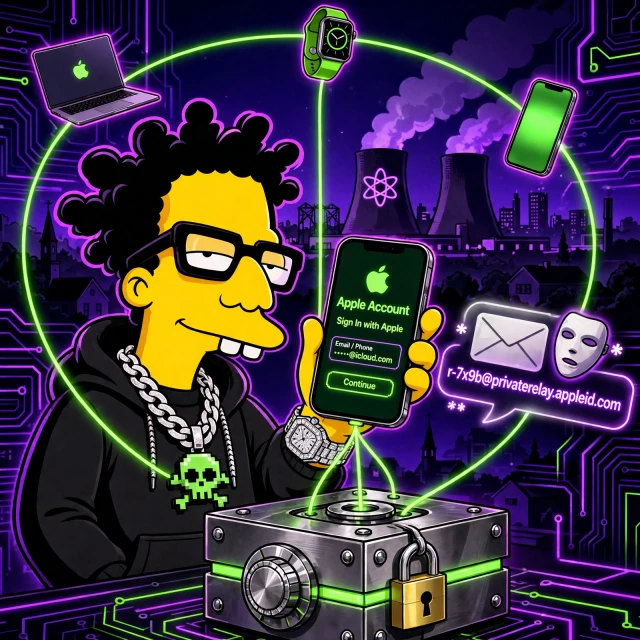
Hide My Email creates a random relay address ending in privaterelay.appleid.com. Mail to it is forwarded to your real inbox.

Code:
Settings > Apple Account > iCloud > Hide My Email
Create New Address > choose a label > use it at sign-in or checkout

Verified: the relay address is random and unique per use. Inferred: a merchant that receives only a relay address has a harder time correlating your activity there with activity elsewhere by email alone. The merchant still sees payment details, any delivery address you provide, your IP address, and device signals.

Apple Wallet Provisioning​


Information entered by camera is never saved on the device or in the photo library. Verified: entered data is encrypted to Apple, Apple decrypts it only to determine the payment network, then re-encrypts it with a key only the network or issuer-authorised token providers can unlock. A device-specific Device Account Number is created and stored in the Secure Element. Verified: the Secure Element is isolated from the operating system, the Device Account Number is not decryptable by Apple, never stored on Apple servers, and never backed up to iCloud. Apple stores only a portion of the actual card number and a portion of the Device Account Number, plus a card description. The merchant receives a token and a cryptogram, not the real card number.

Weakness: Where the Account Model Breaks​


Each job has a characteristic failure. The identifier fails when treated as proof of who holds the device; it proves continuity of the account, not presence of the owner. The authenticator fails when the credential is reusable: a password reused across services, phished once, or leaked in a breach can be replayed elsewhere. That is why passkeys exist. Device trust fails when the list is stale. A phone you sold or lost may remain trusted until you remove it. Recovery fails when it is either too easy or too hard. Too easy, and an attacker can use it to take over the account. Too hard, and the owner is locked out permanently.


A security control has a scope, a trust model, and limitations. The Apple Account is five controls, not one, and each one fails differently.

Passwords Versus Passkeys​


PropertyPasswordPasskey
What you presentA secret string you typeAn assertion, approved by biometrics or passcode
What the service storesA verifier derived from the passwordA public key; the private key stays on your device
PhishingA fake site can collect itBound to the real site
ReuseReuse across sites is commonEach site gets its own key pair
Service breachVerifiers may be attacked offlineOnly public keys are exposed
LossPassword can be reset, subject to recoveryLost device without sync or recovery can mean lost access

Passkeys remove the phishable secret, but add a dependency on device sync and recovery.

The Four-Step Passkey Sign-In​


  1. You choose sign-in with a passkey. No password field is presented.
  2. Your iPhone offers the passkey for that site and asks for Face ID, Touch ID, or your passcode.
  3. The device signs a challenge from the real site with the private key. The private key does not leave the device.
  4. The site checks the signature against the public key it stored. If it matches, you are signed in.

Code:
Site sign-in > Use passkey > Face ID / Touch ID / passcode > signed in

Verified: the private key is not sent to the site. Unknown: the exact passkey implementation of any given merchant, including whether it offers passkeys at all and how it handles recovery after passkey loss.
Continued in the first reply below — Part 2 of 2.
 

GarySpringfieldScammin’

Carding Novice
Joined
07.11.26
Messages
14
Reaction score
0
Points
1
Part 2 of 2 — continued from the thread above.

Trusted Devices, Two-Factor Authentication, and Stolen Device Protection​


Two-factor authentication means a sign-in on a new device requires both the password and a code shown on a trusted device, or approval from that device.

Code:
Settings > Apple Account > Devices
Review each device. Remove any you no longer own or recognise.

Stolen Device Protection adds a layer for a specific scenario: the phone is stolen while unlocked, or the thief has observed the passcode. Then the passcode alone should not be enough to change critical account settings, turn off Find My, or change the Apple Account password when the phone is away from a familiar location. A biometric check and a time delay are required instead. Unknown: the exact location thresholds Apple uses.

iCloud Keychain and Advanced Data Protection​


iCloud Keychain is the sync vault. Verified: its data is AES-encrypted in storage and in transmission, Apple cannot read it, and when iCloud Keychain is on it is synced across devices with end-to-end encryption. Advanced Data Protection extends that encryption to more iCloud data. The cost is recovery: if you lose all trusted devices and have no recovery key and no recovery contact, Apple cannot recover that data for you.

Advanced Data Protection trades recoverability for confidentiality. Choose it knowingly, and set up the recovery method first, not after you need it.

Set up recovery before turning it on.

Demonstration: Hide My Email in Practice​


This demonstration is deliberately small. Its purpose is to make the relay address concrete, not to prove a grand claim about anonymity.

  1. Open Hide My Email in Settings, using the path above.
  2. Create a new address, with a label naming the merchant or service.
  3. Use that relay address for one sign-in or checkout where you would otherwise use your real address.
  4. Confirm the merchant's message arrives in your real inbox via the relay.
  5. Turn the relay address off, then confirm mail to it no longer reaches you.

This proves revocation works. It does not prove unlinkability.

Evidence: What We Can Establish, and What We Cannot​


Verified: The Device Account Number is device-specific, in the Secure Element, not decryptable by Apple, never on Apple servers, never backed up to iCloud. Apple stores only a portion of the card number and a portion of the Device Account Number plus a description. Deleting a Wallet card removes that device token without cancelling the physical card. Hide My Email relay addresses are random, unique, and end in privaterelay.appleid.com. Passkeys use a private key that does not leave the device.

Unknown: the exact fraud scoring, device fingerprinting, and risk thresholds any merchant applies to a transaction authenticated through Sign in with Apple, a passkey, or Apple Pay. Those are proprietary, per-merchant, and not observable from the iPhone alone. Lesson 6 takes up merchant variance directly.

Defense: The Nine-Step Account Audit​


Do this audit on your own account, in order.

  1. Password: confirm it is unique to Apple and reachable from another device.
  2. Passkeys: confirm a trusted device can use them.
  3. Trusted devices: remove any device you no longer own or recognise.
  4. Two-factor authentication: confirm it is on, and know where codes go.
  5. Stolen Device Protection: confirm it is on.
  6. Hide My Email: turn off relays for merchants you no longer use.
  7. iCloud Keychain: confirm it is on, and Autofill needs local authentication.
  8. Advanced Data Protection: decide knowingly whether it is on or off.
  9. Recovery: confirm recovery key and contact are current, and write down your recovery plan separately from the phone.

Code:
Settings > Apple Account > Sign-In & Security
Settings > Apple Account > Devices
Settings > Apple Account > iCloud > Hide My Email
Settings > Apple Account > iCloud > Advanced Data Protection

Find the stale entry before an attacker or a loss finds it first.

Hands-On Experiment: Ten Minutes, Your Own Account Only​


Do this only on your own iPhone, your own Apple Account, and your own devices. Do not test it on anyone else's account, phone, or payment card.

  1. Minutes 0 to 2: open the Devices list and write down your trusted devices. Remove nothing yet. Just observe.
  2. Minutes 2 to 4: create one Hide My Email relay address, label it, and use it for a sign-in you control. Confirm the forwarded message arrives.
  3. Minutes 4 to 6: open Safari Autofill settings and confirm a card entry shows name and expiry but not the CVV.
  4. Minutes 6 to 8: check Stolen Device Protection and Advanced Data Protection.
  5. Minutes 8 to 10: write down the single weakest link you found. That one item is your next fix. Do it before Lesson 6.

Record what you observed, not what you expected. Use the same $91.92 purchase as a reference point: which identity was presented at each stage?

Decision Lab​


Four scenarios. Decide before you open the spoiler. The value is in the reasoning.

Scenario 1: The Old Phone You Sold​


You sold an old iPhone six months ago. You wiped it, but never checked the Devices list. Today you see it is still listed as a trusted device. What is the risk, and what do you do?

The device remains trusted for two-factor authentication until you remove it. A wipe does not automatically remove it from the list. Remove it now. Wiping a device and removing it from the account are two different actions.

Scenario 2: The Merchant Asks for Your Real Email​


You sign in with Apple at a merchant. Checkout also asks for your real email address for order updates. You are tempted to give it because it feels simpler. What should you consider?

The real address gives the merchant a stable identifier that can link this purchase to other purchases and accounts using the same address. The relay address still delivers order updates to your real inbox, and it can be revoked per merchant.

Scenario 3: Passkey, But No Recovery Plan​


You replaced passwords with passkeys on several sites. Your passkeys sync through iCloud Keychain. You lose your iPhone and have no other trusted device, no recovery key, and no recovery contact. What happens?

You may be locked out of the passkeys and of the Apple Account itself, depending on what recovery paths remain. A passkey is strong against phishing because the private key is bound to your devices and sync. That strength becomes a weakness with no second device, recovery key, or recovery contact. Set up at least one recovery path first.

Scenario 4: Advanced Data Protection, Lost Phone​


You turned on Advanced Data Protection. A year later you lose your only trusted device. You have no recovery key and no recovery contact. You ask support to recover your iCloud data. What will happen, and why?

Support will not be able to recover the end-to-end encrypted data, because Apple does not hold the keys. That is the intended consequence of the setting, not a failure of support. The trade-off was made when the setting was turned on: stronger confidentiality in exchange for weaker recoverability.

Discussion Prompts​


  • Which of the five jobs of the Apple Account is weakest on your own account, and what is the single fix you will make this week?
  • For your last online purchase, can you state whether the merchant received your real email address or a relay address?
  • Passkeys remove the phishable password but add a dependency on device sync and recovery. Is that a good trade for you?
  • Advanced Data Protection trades recoverability for confidentiality. Who should turn it on, and who should leave it off?
  • Stolen Device Protection assumes the thief has the passcode but not your face or fingerprint. What other assumptions does the Apple Account model make?


Next Lesson​


Next lesson: Lesson 6: Merchant Variance Lesson 6 asks why the same card, account, and phone can succeed at one merchant and fail at another, and how to trace a checkout on your own devices to find out where the decision was made.
 
Top Bottom