





GarySpringfieldScammin’
Carding Novice
- Joined
- 07.11.26
- Messages
- 14
- Reaction score
- 0
- Points
- 1
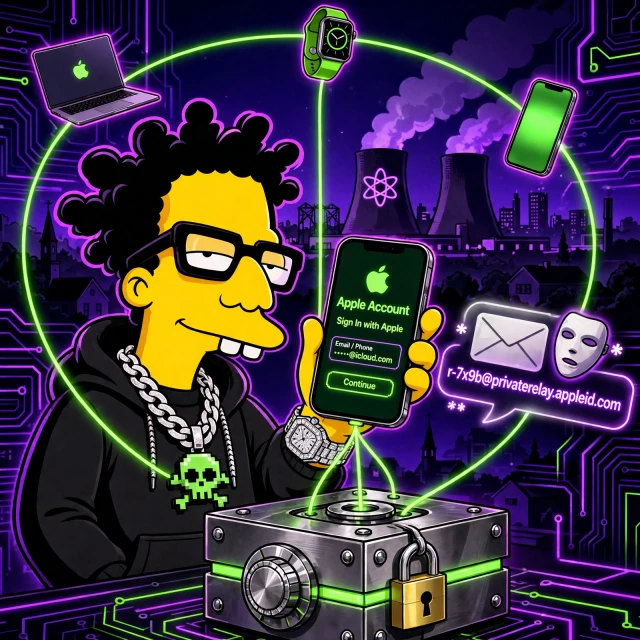
Lesson 5: Apple Account & iCloud Identity
Part 1 of 2 — continued in the first reply below.
Lesson 5: Apple Account & iCloud Identity
Introduction: The Account Behind the Purchase
Lessons 1 to 4 followed one purchase from identification to settlement, then to chargebacks. Lesson 5 steps back and asks what identity ties those events together. On an iPhone, that identity is the Apple Account: the sign-in for the phone, the App Store, iCloud, Wallet, and Safari. A merchant may also meet it indirectly, through Sign in with Apple, a passkey, or a payment token. This lesson completes the core arc.
The method is unchanged. Separate what is Verified from what is Inferred, Hypothetical, or Unknown. Documentation describes intended behaviour; experiment describes what you can observe yourself, on your own devices only.
The Apple Account is not one thing. It is five jobs under one sign-in, and each job has a different trust boundary, a different failure mode, and a different consequence when it breaks.
Architecture: Five Jobs Under One Sign-In
| Job | What it does | What it protects |
|---|---|---|
| 1. Identifier | Stable identity across Apple services | Continuity of the account |
| 2. Authenticator | Checks password, passkey, or device approval | Access to the account |
| 3. Device trust | Trusted devices receive codes and approve sign-ins | Second-factor delivery |
| 4. Sync vault | Syncs passwords, passkeys, and payment data | Availability across devices |
| 5. Recovery | Paths back in after loss | A way back in |
The identifier links purchases, subscriptions, iCloud data, and device records to one account. Inferred: merchants do not, in the normal case, receive your Apple Account identifier directly from a card purchase. They receive payment and device signals through their own channels.
The authenticator is the sign-in itself. A password is a shared secret that can be replayed if learned. A passkey is a cryptographic assertion bound to a site. Device trust is the list of devices Apple treats as trusted. A trusted device can receive two-factor codes and approve a new sign-in. Its value depends on the device being protected, and on you noticing when a device you no longer own stays on the list.
The sync vault is iCloud Keychain. Safari Autofill stores the real card number, expiry date, and cardholder name there. Verified: that data is AES-encrypted in storage and in transmission, Apple cannot read it, and when iCloud Keychain is on it is synced across devices with end-to-end encryption. Contrast that with Apple Pay. Verified: Apple Pay cards are device-specific and are not synced. Each device gets its own Device Account Number. Deleting a card from Wallet removes or deactivates that device token. It does not cancel the physical card.
Two further Verified facts about Autofill are often misunderstood. The security code, the CVV, is never saved in Autofill and must be typed manually. Autofill requires Face ID, Touch ID, or the device passcode. Recovery is the job nobody thinks about until it is needed. A recovery method set up years ago and forgotten is still live.
Trust Boundary: What the Merchant Gets, and What Apple Keeps
Sign in with Apple and Hide My Email
Sign in with Apple is the clearest trust boundary in this lesson. You authenticate to Apple, and Apple vouches for you to the merchant in a limited way. The merchant does not receive your Apple Account password. What it gets depends on what you choose to share: your name, and either your real email address or a Hide My Email relay address.
Hide My Email creates a random relay address ending in privaterelay.appleid.com. Mail to it is forwarded to your real inbox.
Code:
Settings > Apple Account > iCloud > Hide My Email
Create New Address > choose a label > use it at sign-in or checkout
Verified: the relay address is random and unique per use. Inferred: a merchant that receives only a relay address has a harder time correlating your activity there with activity elsewhere by email alone. The merchant still sees payment details, any delivery address you provide, your IP address, and device signals.
Apple Wallet Provisioning
Information entered by camera is never saved on the device or in the photo library. Verified: entered data is encrypted to Apple, Apple decrypts it only to determine the payment network, then re-encrypts it with a key only the network or issuer-authorised token providers can unlock. A device-specific Device Account Number is created and stored in the Secure Element. Verified: the Secure Element is isolated from the operating system, the Device Account Number is not decryptable by Apple, never stored on Apple servers, and never backed up to iCloud. Apple stores only a portion of the actual card number and a portion of the Device Account Number, plus a card description. The merchant receives a token and a cryptogram, not the real card number.
Weakness: Where the Account Model Breaks
Each job has a characteristic failure. The identifier fails when treated as proof of who holds the device; it proves continuity of the account, not presence of the owner. The authenticator fails when the credential is reusable: a password reused across services, phished once, or leaked in a breach can be replayed elsewhere. That is why passkeys exist. Device trust fails when the list is stale. A phone you sold or lost may remain trusted until you remove it. Recovery fails when it is either too easy or too hard. Too easy, and an attacker can use it to take over the account. Too hard, and the owner is locked out permanently.
A security control has a scope, a trust model, and limitations. The Apple Account is five controls, not one, and each one fails differently.
Passwords Versus Passkeys
| Property | Password | Passkey |
|---|---|---|
| What you present | A secret string you type | An assertion, approved by biometrics or passcode |
| What the service stores | A verifier derived from the password | A public key; the private key stays on your device |
| Phishing | A fake site can collect it | Bound to the real site |
| Reuse | Reuse across sites is common | Each site gets its own key pair |
| Service breach | Verifiers may be attacked offline | Only public keys are exposed |
| Loss | Password can be reset, subject to recovery | Lost device without sync or recovery can mean lost access |
Passkeys remove the phishable secret, but add a dependency on device sync and recovery.
The Four-Step Passkey Sign-In
- You choose sign-in with a passkey. No password field is presented.
- Your iPhone offers the passkey for that site and asks for Face ID, Touch ID, or your passcode.
- The device signs a challenge from the real site with the private key. The private key does not leave the device.
- The site checks the signature against the public key it stored. If it matches, you are signed in.
Code:
Site sign-in > Use passkey > Face ID / Touch ID / passcode > signed inVerified: the private key is not sent to the site. Unknown: the exact passkey implementation of any given merchant, including whether it offers passkeys at all and how it handles recovery after passkey loss.
Continued in the first reply below — Part 2 of 2.


